October 6, 2026
Your IT provider just quoted you a dedicated server. The pitch sounded solid: your own physical machine, nobody else on it, so it must be faster and more reliable than a slice of somebody’s cloud. Sometimes that’s true.
The cloud servers vs dedicated servers debate gets argued mostly by hosting companies selling one side. They rarely tell you which option fits a small business running an accounting app, a file share and a SQL database. That’s the gap this post fills. You’ll get plain definitions, real cost ranges and an honest list of the cases where dedicated hardware still wins.
Here’s what nobody’s saying out loud: the right answer depends on how your machine actually gets used, not on which pitch sounds more serious. A quiet office server and a database running flat out at 2 a.m. don’t belong in the same comparison. Yet vendors on both sides treat them as if they do.
So skip the hype on both sides. Start with what each option actually is. Then work through reliability, cost and compliance in that order. This is because where sales pitches and real-world results drift apart the most.
The short answer
For most small and midsize businesses, the cloud servers vs dedicated servers decision comes out in favor of cloud. A cloud server matches a dedicated server on everyday performance. It costs less up front, resizes in minutes and restarts on healthy hardware when a part fails. Dedicated servers still win in three cases: workloads that run near full capacity all year, compliance audits that require single-tenant hardware, and specific hardware you can’t rent in the cloud.
A dedicated server is one physical machine used by one customer. You lease it from a host or buy it outright, and no other tenant’s workload ever touches its processors, memory or disks. That’s the whole idea.
A cloud server is virtual. Your server runs on a pool of physical hardware spread across many machines, he platform can move or restart it on another node if the hardware underneath fails. You still get your own operating system, admin rights and data. What you give up is a specific box with your name on the label, sitting in a rack you could point to.
Raw performance is where dedicated hardware earns its reputation. With no virtualization layer and no noisy neighbors competing for resources, every CPU cycle and disk operation goes to your workload, a point. That gap matters for a heavily loaded database or a latency-sensitive trading engine. For an accounting app and a file share? Rarely.
Most of the “more powerful" pitch comes from comparing a big dedicated machine with a small cloud instance. Compare like with like. A cloud server sized with the same cores and memory as the dedicated box will usually handle the same office workload. You can resize it later instead of guessing today what you’ll need at the end of the lease.
What this means: dedicated means one tenant on one machine. Whereas a cloud server lives on shared, redundant hardware and can move when something breaks.
Not by default. A dedicated server is only as reliable as its weakest part. That means one motherboard, one power supply and one RAID controller. If any of them fails, nothing takes over. You’d need a second machine, kept in sync, and you’d pay for both.
Cloud platforms work the other way around. When a physical node fails, the workload moves to another machine in the pool, according to HostAdvice. It isn’t instant, because the server restarts on new hardware. But nobody has to drive to a data center first.
Drives do die. Backblaze publishes failure data from its own storage fleet. It reported an annualized hard drive failure rate of 1.36% for 2025, down from 1.55% in 2024. Most dedicated servers mirror their drives with RAID, so one dead drive usually means a rebuild, not downtime.
The risk sits outside the mirror: the controller, the power supply, the motherboard. There’s also the window while the array rebuilds without protection. On a single server, any of those is your outage, at whatever hour it decides to happen.
Hosting proposals love the phrase “Tier III data center" or “Tier IV data center." The Uptime Institute’s tier classification system has four levels: Basic Capacity, Redundant Capacity, Concurrently Maintainable and Fault Tolerant. A Tier III facility can take any power or cooling part offline for maintenance without shutting down IT. Tier IV also absorbs unplanned failures.
Watch for uptime percentages. The Uptime Institute stopped attaching downtime figures to tiers in 2009. A proposal that turns a tier into a percentage is quoting numbers the standard dropped.
Either way, these ratings describe the building. They cover power and cooling, not your machine. A dedicated server in a Tier IV facility can still sit dark until someone swaps its failed RAID controller.
1.36%
annualized hard drive failure rate across Backblaze’s monitored fleet in 2025
Source: Backblaze, 2025
Redundancy has to exist at the machine level too. If your current setup is a single aging box plus a backup drive, our piece on IT infrastructure modernization covers the broader case for moving off hardware you have to babysit. Nobody misses the overnight alerts.
For most small businesses, a cloud server costs less each month and nothing up front. Our server cost breakdown looks at a company of 20 to 30 employees. It puts dedicated server rental at $150 to $300 a month. A virtual or cloud server runs $40 to $80 a month. Buying the physical server outright costs $1,500 to $3,000. And that’s hardware only.
At the low end, a year costs $150 × 12 = $1,800 for the dedicated server. The cloud server costs $40 × 12 = $480.
Shop around and you’ll find cheaper entry-level dedicated plans, too. They’re billed as a fixed fee, whether you use the capacity or not. At that end, the gap with cloud almost closes. So the monthly fee alone rarely settles the question.
Here’s the honest part. For steady, always-on workloads at high utilization, a dedicated server is usually cheaper over time. Cloud costs less when demand fluctuates or environments are short-lived. If your server runs flat out around the clock, every month, do the math before you migrate.
Most small and midsize business (SMB) servers don’t look like that. They’re busy during office hours and idle overnight. The hosting fee also leaves out the labor: patching the operating system, watching drive health and testing restores. Our post on IT infrastructure solutions for small businesses argues that maintenance time, not processing power, is usually the real bottleneck.
Want to set that dedicated server quote next to a flat monthly cloud price? Compare our plans and price the same workload both ways.
Dedicated servers still win in a few narrow cases, and any provider who tells you otherwise is hoping you won’t run the numbers or ask your auditor. The steady, high-utilization workload from the cost section is the first. The others deserve a closer look.
Compliance is the most misunderstood reason. The Payment Card Industry Data Security Standard (PCI DSS) doesn’t require dedicated hardware. Shared, virtual private server (VPS), dedicated and container environments can all be compliant. What matters is the right isolation and access controls.
What dedicated buys you is scope. Appendix A1 of PCI DSS adds extra requirements for multi-tenant environments. They don’t apply when a server belongs to one customer. Removing other tenants can simplify isolation and audit decisions. If your assessor insists on single-tenant hardware for a payment or healthcare workload, that’s a legitimate reason to buy dedicated.
Some workloads need a specific piece of hardware. It might be an accelerator card, a licensing dongle or a legacy peripheral that has to be physically attached. If no cloud instance matches it, bare metal is the honest answer. That’s especially true when you need it across many machines.
Check first. Cloud graphics processing unit (GPU) instances now handle plenty of design and compute work. A few years ago, that work needed a dedicated box.
Where dedicated works
Where dedicated falls short
For most SMBs, the decision comes down to management overhead and disaster recovery, not raw speed. The table below lines up the dedicated server vs cloud server choice across the factors that settle most of these purchases, from upfront cost to what happens on the day a component fails. Take it to your next vendor meeting.
| Factor | Cloud server | Dedicated server |
|---|---|---|
| Upfront cost | None; billed monthly, $40 to $80 a month in this SMB cost breakdown | None if leased at $150 to $300 a month; $1,500 to $3,000 to buy (same breakdown) |
| Scaling | Resized within minutes (Worldstream) | Physical upgrades take hours to days (Worldstream) |
| Uptime | Automatic failover to another physical node | Depends on one machine; no failover unless you build it |
| Management overhead | Provider handles hardware; managed plans also cover the operating system | You or your host handle drives, firmware and patching |
| Compliance | PCI DSS compliance possible with proper isolation and access controls | Simpler audit scoping; multi-tenant Appendix A1 rules don’t apply |
| Disaster recovery | Snapshots and failover often built into the platform | Only as good as the backup process you set up yourself |
| Raw performance | Shared hardware; a correctly sized instance handles typical office loads | Whole machine for one workload, no noisy neighbors |
| Long-run cost at steady, heavy load | Usually higher | Usually lower |
Then run these checks. Each one takes less than an afternoon, and any of them can flip the answer for your particular business before you commit to a lease or a migration.
Measure real utilization
Pull a few weeks of CPU, memory and disk graphs from your current server. If it idles most nights, you’re paying a dedicated price for capacity you don’t use.
Ask your assessor, not your vendor
Get in writing whether your compliance framework requires single-tenant hardware. PCI DSS itself doesn’t.
List hardware dependencies
Write down every card, dongle and peripheral your applications need. If nothing on the list is unusual, a cloud server covers it.
Price the labor, not just the box
Add the hours someone spends patching, replacing drives and checking backups. That cost belongs in the comparison.
Test a restore
Whatever you choose, restore a backup to a fresh machine before go-live. A backup you haven’t restored is a guess.
If the answers point to cloud, decide next who runs it. That’s the managed question. At V2 Cloud, our managed cloud servers for business are built for teams without a full-time server admin: a new Windows® virtual machine is ready in under 20 minutes, and plans start from $60 a month with flat pricing and no long-term contracts.
Our 99.95% uptime SLA allows up to 0.05% of 8,760 hours, about 4.38 hours a year (0.0005 × 8,760 = 4.38), under the service level agreement (SLA) terms.
We also take daily offline snapshots, and 24/7 technical support is included in every plan. If you’d rather not touch the operating system at all, our V2CloudCare managed service hands day-to-day maintenance to our team, which is the part of owning a dedicated server most owners underestimate. Want the general picture first? Read what managed cloud services include.
One last thought. The best argument for a dedicated server used to be control, because you knew exactly which box held your data. Today the better question is what happens right after something breaks, and on a single machine the answer depends entirely on whoever picks up the phone at that moment.
Not sure whether your application belongs on a cloud server or dedicated hardware? Book a guided setup and we’ll work through it with your actual workload.
A dedicated server can be faster for a single heavy workload because it has no virtualization layer and no neighbors competing for CPU or disk. For typical small business workloads such as accounting software, file shares and modest databases, the gap rarely decides anything, and sizing the cloud server correctly matters far more.
A cloud server is usually more resilient than a single dedicated server because the platform can move the workload to another physical node when hardware fails. A dedicated server has no automatic failover unless you pay for a second machine and replication, so one failed drive or power supply can take it offline.
A dedicated server is often cheaper over time for steady, always-on workloads at high utilization. For small businesses with normal office demand, cloud usually costs less: one breakdown puts dedicated rental at $150 to $300 a month against $40 to $80 a month for a cloud server, for 20 to 30 employees.
No. PCI DSS does not require dedicated hardware, and shared, cloud and dedicated environments can all be compliant with proper isolation and access controls. A dedicated server does sidestep the extra multi-tenant requirements in PCI DSS Appendix A1, which can simplify audit scoping, so confirm with your assessor what your specific environment needs.
A cloud server can usually be resized within minutes by changing its CPU, memory or storage allocation. A dedicated server needs physical parts sourced and installed. For businesses with seasonal peaks or fast hiring, that difference alone can settle the cloud server vs dedicated server question.
A small business should choose a dedicated server when its workload runs near full capacity around the clock, when an assessor requires single-tenant hardware, or when an application depends on a card or peripheral no cloud provider offers. Outside those cases, a managed cloud server usually costs less and takes hardware maintenance off your list.
A managed cloud server should come with a written uptime service level agreement (SLA), because the percentage translates directly into allowed downtime. V2 Cloud’s 99.95% uptime SLA allows up to 0.05% of 8,760 hours, about 4.38 hours a year (0.0005 × 8,760 = 4.38). Before signing with any provider, read which events the SLA excludes.
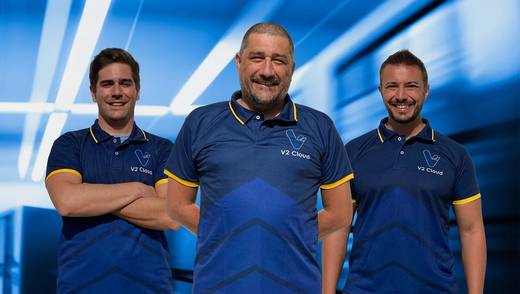
Your V2 CloudCare team — real people, on the line.


