On a call now34s avg. pickup
SL
FC
AR
MK
+6
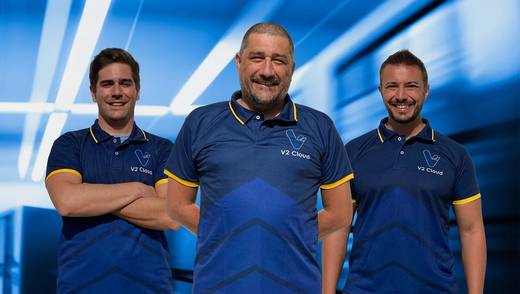
Your V2 CloudCare team — real people, on the line.
Desktop as a Service (DaaS) is a cloud computing model in which a provider hosts virtual desktops in its data centers and streams them to users over the internet. The provider runs the servers, storage, and network. You pay a monthly subscription and open the desktop from any device.
These cloud desktops look and behave like normal Windows® or Linux computers. The difference is where they run. Your laptop, tablet, or thin client only displays the session and sends back keystrokes and clicks. The operating system, the applications, and the files all stay in the data center.
That one change explains most of what makes DaaS useful. A stolen laptop no longer holds company data. A new hire can start work before their hardware arrives. And a five-year-old PC can keep working long after it would normally be replaced.
If you’re asking “what is DaaS" from a technical angle, the answer comes down to four layers. Every DaaS platform is built from the same ones, and knowing them makes it much easier to compare providers, because most of the real differences sit in layers two and four.
The provider owns or rents the physical servers, storage, and networking. A hypervisor splits each server into virtual machines (VMs), and each VM runs its own operating system with its own share of CPU, memory, and storage. The provider handles this entire layer, including hardware failures, capacity, and data center security.
For power users running CAD, video editing, or 3D tools, ask whether the provider offers GPU-backed VMs. CPU-only desktops struggle with graphics-heavy work no matter how much memory you add.
The display protocol streams the desktop from the VM to your screen. It compresses the image, sends it over the network, and returns your mouse and keyboard input. Common protocols include Microsoft® RDP, Citrix HDX, Omnissa Blast, and Amazon DCV.
This layer decides how the desktop feels. A good protocol adjusts resolution and frame rate when the connection gets worse, so a user on hotel Wi-Fi still gets a usable session. Protocols also change over time: AWS is retiring PCoIP-based WorkSpaces Personal, taking no new PCoIP customers after July 31, 2026 and shutting the service down after October 31, 2027.
All files, application data, and user profiles live on the provider’s storage, usually SSD-based for faster load times. Because nothing sits on the endpoint, backups and recovery happen in one place. Look for automatic daily backups, snapshots you can roll back to, and clear recovery time commitments.
The control plane is the admin console. From it, IT creates desktop images, adds and removes users, resizes VMs, and enforces policies like multi-factor authentication (MFA) and single sign-on (SSO). One console replaces a fleet of individually managed laptops.
Who patches the operating system inside each desktop varies by provider. Some include it, some leave it to your IT team, and some sell it as a managed add-on. Always ask.
DaaS desktops differ in two ways: how many people share a VM, and whether changes persist between sessions.
Shared (multi-session) desktops let several users work on one VM at the same time, each in their own session. They cost less per person and suit teams running the same light applications, such as front-desk staff or call center agents.
Dedicated desktops give one user one VM. They suit developers, designers, and anyone who needs admin rights or heavy compute. The marketing term “Cloud PC" usually describes this model.
Persistent desktops keep a user’s files, settings, and installed apps between sessions. Non-persistent desktops reset to a clean image at logout. Non-persistent pools are cheaper to run and easier to keep secure, but users lose anything not saved to a network drive or profile store.
The question “what is DaaS" usually comes with a second one: how is it different from VDI, a Cloud PC, or the computer already on your desk? The simplest way to compare them is to ask who is responsible for each layer.
| Physical desktop | On-premises VDI | DaaS | Cloud PC | |
|---|---|---|---|---|
| Where the desktop runs | The device on the desk | Your own servers | Provider’s data center | Provider’s data center |
| Who owns the hardware | You | You | Provider | Provider |
| Who maintains infrastructure | You | Your IT team | Provider | Provider |
| Who patches the desktop OS | You | Your IT team | Varies by provider | Usually you |
| Users per desktop | One | One or shared | One or shared | One |
| Setup for a new user | Ship and configure a device | Provision on your stack | Minutes in a console | Minutes in a console |
| Cost model | Upfront hardware | Upfront hardware plus licenses | Monthly subscription | Monthly per user |
What this means: DaaS and VDI deliver the same experience to the user. The difference is who runs the infrastructure behind it. For the full breakdown, see our guide to the difference between VDI and DaaS.
DaaS pricing follows three main models, and the one a provider uses changes your real cost more than the headline number.
You pay a fixed price for each named user’s desktop. Windows 365™ works this way. A Windows 365 Enterprise Cloud PC with 2 vCPU, 8 GB RAM, and 128 GB storage lists at $41 USD per user per month (Nerdio, 2026). Per-user pricing is easy to budget, but you pay for every user even if half of them log in twice a week.
You pay for the time desktops run, sometimes with a monthly option for always-on users. Amazon WorkSpaces offers both, and in January 2026 AWS added monthly flat-rate pricing for WorkSpaces Core managed instances alongside hourly billing. Hourly billing rewards part-time users but makes monthly costs harder to predict.
You pay a flat monthly rate for each virtual machine, sized to the work it handles, and several users can share one VM. This is how we price at V2 Cloud: a Basic workload starts from $60 USD per month. Shared VMs make this model especially efficient for teams with light, similar workloads.
Licensing often sits outside the headline price. Windows bundles on Amazon WorkSpaces Pools, for example, carry a $4.19 monthly Remote Desktop Services license fee per user on top of hourly pricing. Platforms like Citrix DaaS add a per-user license layer on top of the cloud infrastructure you also pay for. Ask about storage, bandwidth, support tiers, and minimum contract terms before comparing totals.
DaaS solves real problems, but it isn’t free of trade-offs.
Now that we’ve covered what is DaaS, the real question is whether it fits your business.
DaaS fits best when your IT team is small, your staff work from several locations, or your hardware is due for replacement. It’s especially common in accounting, healthcare, legal, education, and managed service providers (MSPs) delivering desktops to clients.
DaaS fits less well when users work offline for long stretches, when regulations require infrastructure you physically control, or when you already run a large VDI estate with a team to manage it.
If you’re weighing your options, compare DaaS providers side by side, or see how our fully managed DaaS solutionhandles the infrastructure for you.
DaaS is a computer that lives in the cloud instead of on your desk. You log in from any device and get your full desktop, apps, and files, while the provider looks after the hardware behind it.
In cloud computing, DaaS stands for Desktop as a Service. It sits alongside IaaS, PaaS, and SaaS as a delivery model in which a provider hosts complete virtual desktops and streams them to users over the internet.
No. SaaS delivers a single application, like Microsoft 365® or Salesforce, in a browser. DaaS delivers an entire desktop, including the operating system and any Windows applications you install on it, even ones with no web version.
Both deliver virtual desktops from a central location. With VDI, your organization builds and maintains the infrastructure. With DaaS, a provider runs it for you as a subscription service.
DaaS removes the biggest endpoint risk: data stored on laptops that get lost or stolen. Security still depends on the provider, so check for MFA, encrypted connections, daily backups, and compliance support such as HIPAA if you handle health data.
It depends on the pricing model. Per-user plans like Windows 365 list around $41 per user per month for a mid-range Cloud PC. Per-VM plans start lower for shared desktops, and hourly plans vary with usage. Always add licensing and storage before comparing.
Yes, if the provider offers GPU-backed virtual machines. Applications like AutoCAD, Revit, and Adobe Premiere need a virtual GPU to perform well in the cloud.
No, they share an acronym but are unrelated. Data as a Service delivers datasets on demand. Device as a Service is a hardware leasing model, where a vendor supplies and manages physical computers for a monthly fee.
A stable broadband connection is enough for office work, since the protocol sends compressed screen updates rather than full files. Video-heavy or graphics-heavy work needs more bandwidth, so test your own applications during a trial.
Your V2 CloudCare team — real people, on the line.